> For the complete documentation index, see [llms.txt](https://developers.gamma.app/llms.txt). Markdown versions of documentation pages are available by appending `.md` to page URLs; this page is available as [Markdown](https://developers.gamma.app/get-started/access-and-pricing.md).
# Review access and pricing
API access requirements, credit-based pricing, and plan details.
{% hint style="info" %}
**Looking for general Gamma help?** This page is for developers using the API. For general guidance on credits and billing, see [How do credits work in Gamma?](https://help.gamma.app/en/articles/7834324-how-do-credits-work-in-gamma) in the Help Center.
{% endhint %}
### Quick reference
* ChatGPT and Claude connectors work on all plans.
* API keys are available on Pro, Ultra, Teams, and Business plans.
* Credit usage is returned in the `credits` field on `GET /v1.0/generations/{generationId}`.
* Auto-recharge is the safest way to prevent failed generations due to exhausted credits.
### Access
#### API keys (Zapier, Make, n8n, direct integration)
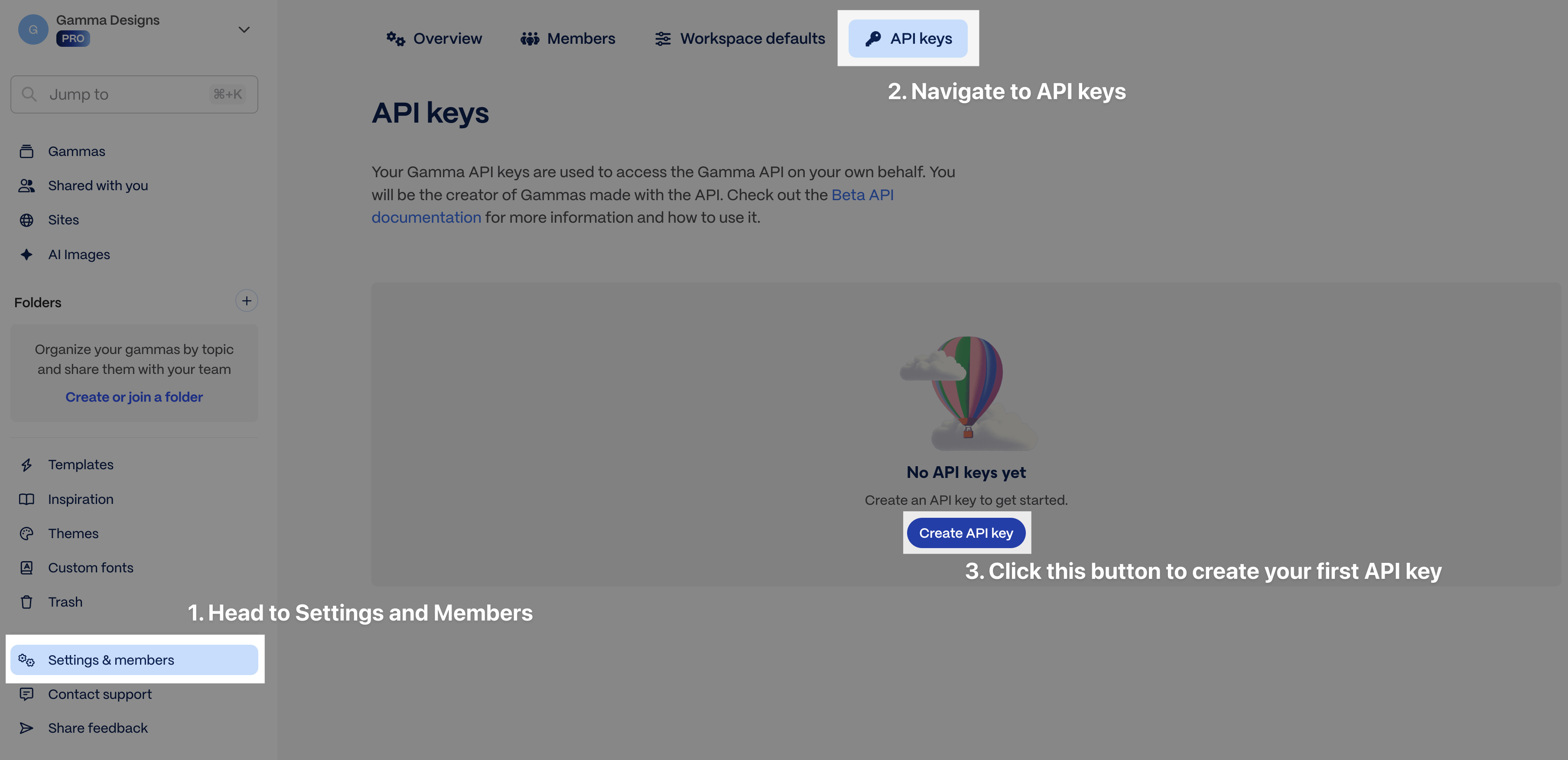
API key access is available on Pro, Ultra, Teams, and Business plans. Generate an API key from [Settings > API Keys](https://gamma.app/settings/api-keys). View [pricing plans here](https://gamma.app/pricing).
Settings > API Keys
**OAuth apps (acting on behalf of your users)**
Apps can also authenticate users via [OAuth](/get-started/authenticate-with-oauth.md) instead of an API key. Requests made with an OAuth token consume the authorizing user's credits in the workspace they connected.
#### Connectors (ChatGPT, Claude)
Connectors are available on all plans, including Free and Plus. No API key required — connect directly from [ChatGPT or Claude](/connectors/connectors-and-integrations.md) and authenticate with your Gamma account. Generations via connectors charge credits the same way as API calls.
### Usage and pricing
* API billing uses a credit-based system. Higher tier subscribers receive more monthly credits.
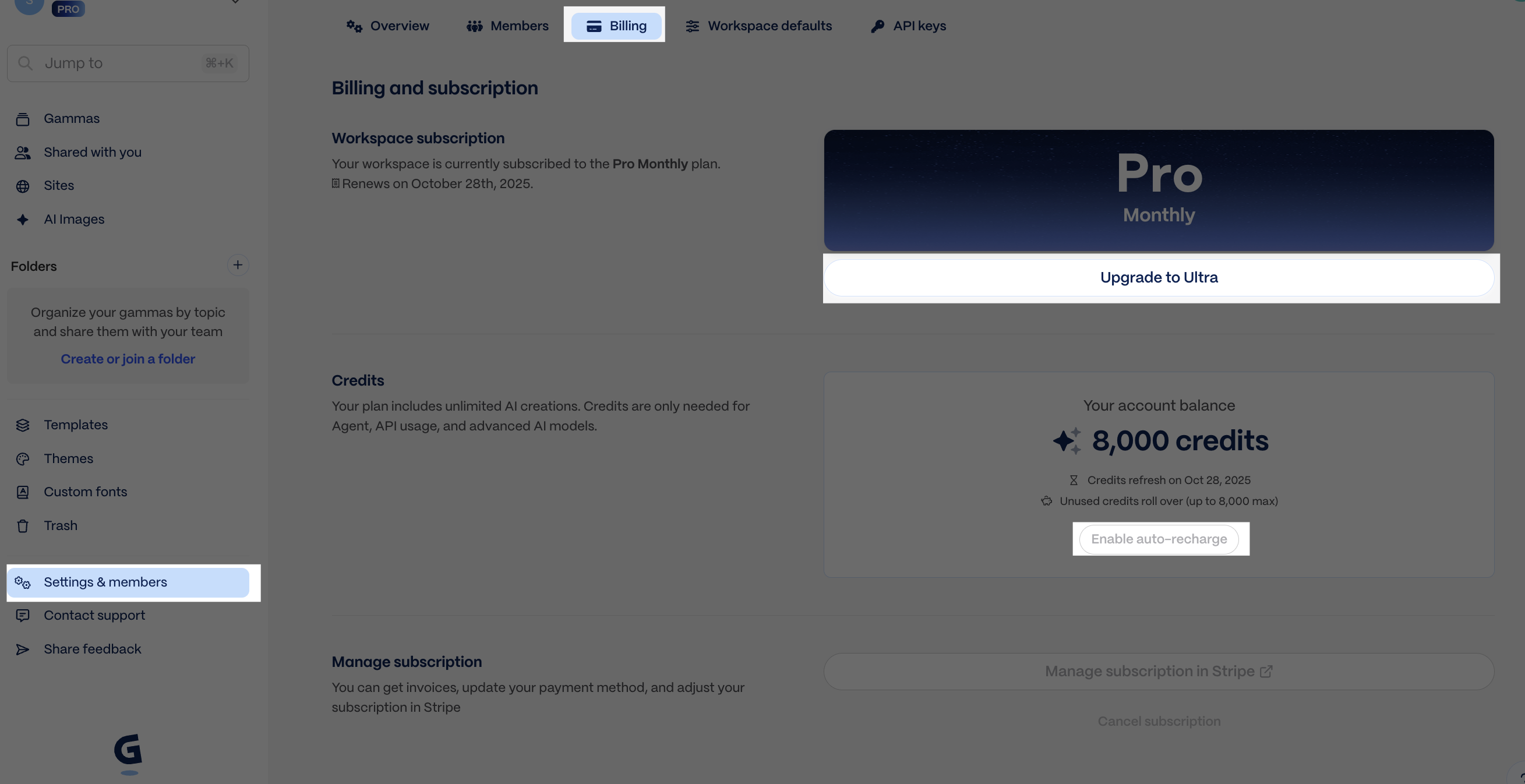
* If you run out of credits, you can upgrade to a higher subscription tier, purchase credits ad hoc, or enable auto-recharge (*recommended*) at [Settings > Billing](https://gamma.app/settings/billing).
Settings > Billing
### How credits work
Credit charges are determined based on several factors and are returned in the GET response.
| Feature | API parameter | Credits Charged\* |
| --------------- | -------------------- | ----------------------------------------------------------------------------------------------------------------------- |
| Number of cards | `numCards` | 1-3 credits/card (varies by the text generation model Gamma selects internally) |
| AI image model | `imageOptions.model` | Standard: 2-15 credits/image. Advanced: 20-33 credits/image. Premium: 34-75 credits/image. Ultra: 30-125 credits/image. |
\* **Credit consumption rates and the actions that consume credits are subject to change.**
Template-based generations (`POST /generations/from-template`) may cost slightly more per card than standard generations.
### Illustrative scenarios
* Deck with 10 cards + 5 images using a basic image model = \~20-60 credits
* Doc with 20 cards + 15 images using a premium image model = \~320-1070 credits
* Socials with 30 cards + 30 images using an ultra image model = \~930-3900 credits
Both standard generations (`POST /generations`) and template-based generations (`POST /generations/from-template`) consume credits. Credit usage details are returned in the `credits` field of the `GET /generations/{generationId}` response, showing `deducted` and `remaining` values.
To learn more about credits, visit our [Help Center](https://help.gamma.app/en/articles/7834324-how-do-ai-credits-work-in-gamma).
### Related
* [Connect integrations](/connectors/connectors-and-integrations.md) for setup instructions by platform
* [Poll for results](/guides/async-patterns-and-polling.md) for where `credits.deducted` and `credits.remaining` appear in the generation flow
* [Get Help](/reference/get-help.md) if you need support with pricing or API access
---
# Agent Instructions
This documentation is published with GitBook. GitBook is the documentation platform designed so that both humans and AI agents can read, navigate, and reason over technical content effectively. Learn more at gitbook.com.
## Querying This Documentation
If you need additional information that is not directly available in this page, you can query the documentation dynamically by asking a question.
Perform an HTTP GET request on the current page URL with the `ask` query parameter, and the optional `goal` query parameter:
```
GET https://developers.gamma.app/get-started/access-and-pricing.md?ask=&goal=
```
`ask` is the immediate question: it should be specific, self-contained, and written in natural language.
`goal` is optional and describes the broader end goal you are ultimately trying to accomplish on behalf of the user. GitBook uses it to tailor the answer towards what is most useful for that goal.
The response will contain a direct answer to the question and relevant excerpts and sources from the documentation.
Use this mechanism when the answer is not explicitly present in the current page, you need clarification or additional context, or you want to retrieve related documentation sections.