> For the complete documentation index, see [llms.txt](https://developers.gamma.app/llms.txt). Markdown versions of documentation pages are available by appending `.md` to page URLs; this page is available as [Markdown](https://developers.gamma.app/guides/generate-api-parameters-explained.md).
# Generate from text
When to use the Generate endpoint and how to choose the parameters that shape the output.
`POST /v1.0/generations` accepts many optional fields; the sections below describe how each one shapes the output.
{% hint style="info" %}
For the exact request body, field types, and response schema, see [POST /generations](/generations/create-generation.md) and [GET /generations/{id}](/generations/get-generation-status.md).
{% endhint %}
### Quick reference
* Provide `inputText` for a single-page File, or a `pages` array for a multi-page File (up to 50 pages).
* `title` lets you set the Gamma title directly instead of relying on inference from the generated content.
* `textMode` controls whether Gamma expands, condenses, or preserves your source text.
* `format`, `themeId`, `imageOptions`, and `cardOptions` shape the look and output type.
* Poll `GET /v1.0/generations/{generationId}` to retrieve `gammaUrl`, `exportUrl`, and credit usage after creation.
### Top-level parameters
#### `title` *(optional)*
Sets the title of the generated Gamma at creation time.
* Use this when you want a stable, explicit name instead of relying on inferred titles.
* Character limits: 1-500.
* If omitted, Gamma infers the title from the generated content.
{% code title="Example" %}
```json
"title": "Q3 Board Update"
```
{% endcode %}
***
#### `inputText` *(required unless `pages` is provided)*
Content used to generate your gamma, including text and image URLs. Omit this field when using `pages` instead.
**Add images to the input**
You can provide URLs for specific images you want to include. Simply insert the URLs into your content where you want each image to appear (see example below). You can also add instructions for how to display the images in `additionalInstructions`, eg, "Group the last 10 images into a gallery to showcase them together."
{% hint style="info" %}
**Note:** If you want your gamma to use *only* the images you provide (and not generate additional ones), set `imageOptions.source` to `noImages`.
{% endhint %}
**Token limits**
The token limit is 100,000, which is approximately 400,000 characters. However, in some cases, the token limit may be lower, especially if your use case requires extra reasoning from our AI models. We highly recommend keeping inputText below 100,000 tokens and testing out a variety of inputs to get a good sense of what works for your use case.
**Other tips**
* Text can be as little as a few words that describe the topic of the content you want to generate.
* You can also input longer text -- pages of messy notes or highly structured, detailed text.
* You can control where cards are split by adding \n---\n to the text.
* You may need to apply JSON escaping to your text. Find out more about JSON escaping and [try it out here](https://www.devtoolsdaily.com/json/escape/).
{% code title="Example" %}
```json
"inputText": "Ways to use AI for productivity"
```
{% endcode %}
{% code title="Example" %}
```json
"inputText": "# The Final Frontier: Deep Sea Exploration\n* Less than 20% of our oceans have been explored\n* Deeper than 1,000 meters remains largely mysterious\n* More people have been to space than to the deepest parts of our ocean\n\nhttps://img.genially.com/5b34eda40057f90f3a45b977/1b02d693-2456-4379-a56d-4bc5e14c6ae1.jpeg\n---\n# Technological Breakthroughs\n* Advanced submersibles capable of withstanding extreme pressure\n* ROVs (Remotely Operated Vehicles) with HD cameras and sampling tools\n* Autonomous underwater vehicles for extended mapping missions\n* Deep-sea communication networks enabling real-time data transmission\n\nhttps://images.encounteredu.com/excited-hare/production/uploads/subject-update-about-exploring-the-deep-hero.jpg?w=1200&h=630&q=82&auto=format&fit=crop&dm=1631569543&s=48f275c76c565fdaa5d4bd365246afd3\n---\n# Ecological Discoveries\n* Unique ecosystems thriving without sunlight\n* Hydrothermal vent communities using chemosynthesis\n* Creatures with remarkable adaptations: bioluminescence, pressure resistance\n* Thousands of new species discovered annually\n---\n# Scientific & Economic Value\n* Understanding climate regulation and carbon sequestration\n* Pharmaceutical potential from deep-sea organisms\n* Mineral resources and rare earth elements\n* Insights into extreme life that could exist on other planets\n\nhttps://publicinterestnetwork.org/wp-content/uploads/2023/11/Western-Pacific-Jarvis_PD_NOAA-OER.jpg\n---\n# Future Horizons\n* Expansion of deep-sea protected areas\n* Sustainable exploration balancing discovery and conservation\n* Technological miniaturization enabling broader coverage\n* Citizen science initiatives through shared deep-sea data"
```
{% endcode %}
***
#### `pages` *(alternative to top-level `inputText`)*
Generate multiple pages in a single File. When provided, `pages` takes precedence over the top-level per-page fields (`inputText`, `textMode`, `numCards`, `format`, `additionalInstructions`, `cardSplit`, `textOptions`, `imageOptions`). File-level options such as `themeId`, `folderIds`, `exportAs`, and `sharingOptions` still apply to all pages.
* Each entry requires `inputText` and can override per-page settings such as `format`, `numCards`, and `title`.
* Up to 50 pages per request.
* Set `publish: true` to publish the File as a Gamma site after all pages succeed.
{% code title="Example" %}
```json
"pages": [
{ "inputText": "Overview", "numCards": 5 },
{ "inputText": "Pricing", "numCards": 3, "path": "/pricing" }
]
```
{% endcode %}
***
#### `textMode` *(optional)*
Determines how your `inputText` is modified, if at all.
* You can choose between `generate`, `condense`, or `preserve`
* `generate`: Using your `inputText` as a starting point, Gamma will rewrite and expand the content. Works best when you have brief text in the input that you want to elaborate on.
* `condense`: Gamma will summarize your `inputText` to fit the content length you want. Works best when you start with a large amount of text that you'd like to summarize.
* `preserve`: Gamma will retain the exact text in `inputText`, sometimes structuring it where it makes sense to do so, eg, adding headings to sections. (If you do not want any modifications at all, you can specify this in the `additionalInstructions` parameter.)
{% code title="Example" %}
```json
"textMode": "generate"
```
{% endcode %}
***
#### `format` *(optional, defaults to`presentation`)*
Determines the artifact Gamma will create for you.
* You can choose between `presentation`, `document`, `social`, or `webpage`.
* You can use the `cardOptions.dimensions`field to further specify the shape of your output.
{% code title="Example" %}
```json
"format": "presentation"
```
{% endcode %}
***
#### `themeId` *(optional, defaults to workspace default theme)*
Defines which theme from Gamma will be used for the output. Themes determine the look and feel of the gamma, including colors and fonts.
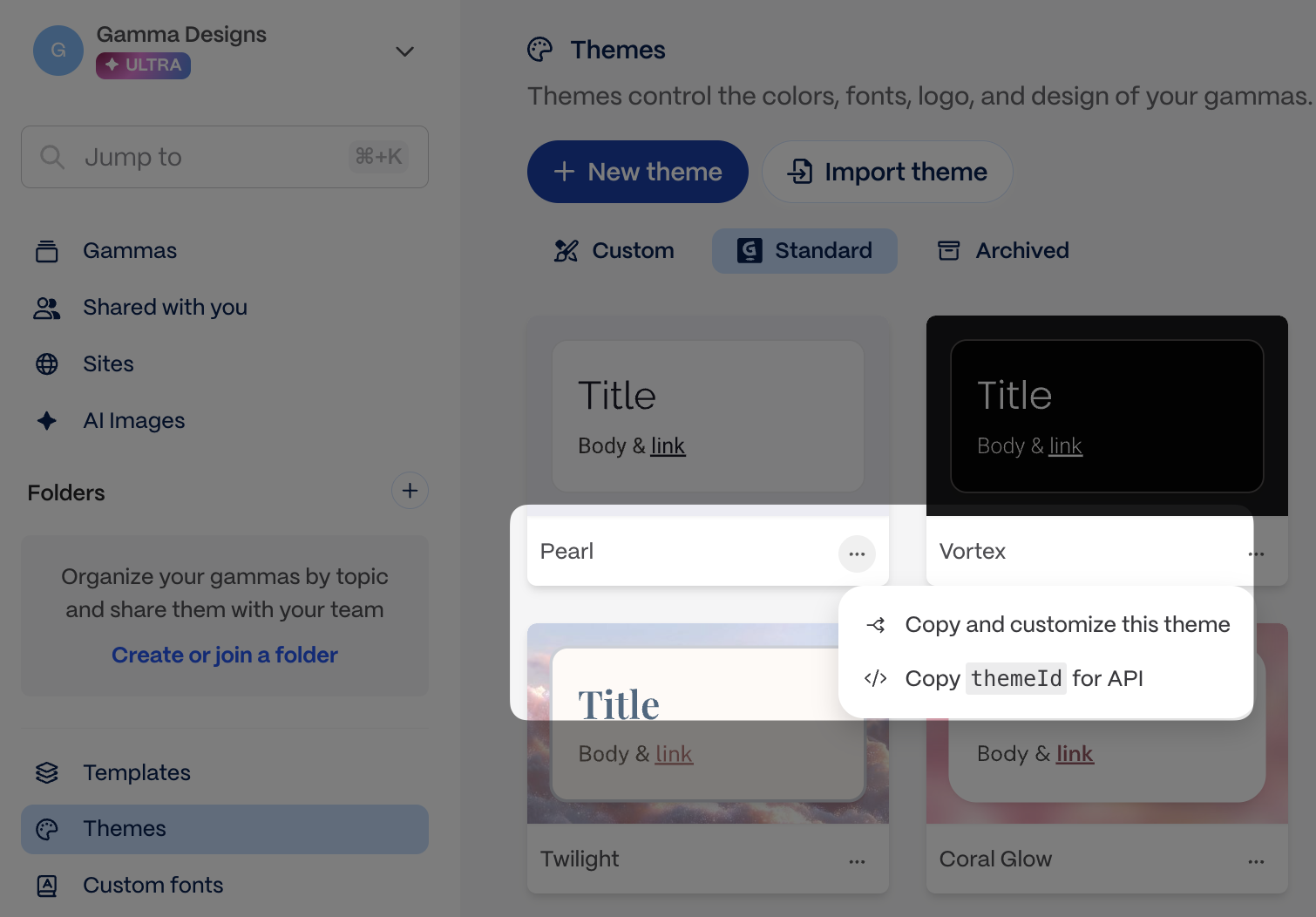
* Use [`GET /v1.0/themes`](/workspace/list-themes.md) to list themes from your workspace, or copy the theme ID directly from the app.
Copy the theme ID from the app
{% code title="Example" %}
```json
"themeId": "abc123def456ghi"
```
{% endcode %}
***
#### `numCards` *(optional, defaults to`10`)*
Determines how many cards are created if `auto` is chosen in `cardSplit`
* Pro, Ultra, Teams, Business, and Enterprise plans: 1 to 75 cards.
{% code title="" %}
```json
"numCards": 10
```
{% endcode %}
***
#### `cardSplit` *(optional, defaults to`auto`)*
Determines how your content will be divided into cards.
* You can choose between `auto` or `inputTextBreaks`
* Choosing `auto` tells Gamma to looks at the `numCards` field and divide up content accordingly. (It will not adhere to text breaks \n---\n in your `inputText`.)
* Choosing `inputTextBreaks` tells Gamma that it should look for text breaks \n---\n in your `inputText` and divide the content based on this. (It will not respect `numCards`.)
* Note: One \n---\n = one break, ie, text with one break will produce two cards, two break will produce three cards, and so on.
| inputText contains \n---\n and how many | cardSplit | numCards | output has |
| --------------------------------------- | --------------- | ---------- | ------------------ |
| No | auto | 9 | 9 cards |
| No | auto | left blank | 10 cards (default) |
| No | inputTextBreaks | 9 | 1 card |
| Yes, 5 | auto | 9 | 9 cards |
| Yes, 5 | inputTextBreaks | 9 | 6 cards |
```json
"cardSplit": "auto"
```
***
#### `additionalInstructions` *(optional)*
Helps you add more specifications about your desired output.
* You can add specifications to steer content, layouts, and other aspects of the output.
* Works best when the instructions do not conflict with other parameters, eg, if the `textMode` is defined as `condense`, and the `additionalInstructions` say to preserve all text, the output will not be able to respect these conflicting requests.
* Character limits: 1-5000.
```json
"additionalInstructions": "Make the card headings humorous and catchy"
```
{% hint style="success" %}
**Pro tip: Use `additionalInstructions` for aesthetic feedback**
This field is especially powerful for specific visual and stylistic guidance that doesn't fit elsewhere:
* **Layout preferences**: "Use a gallery layout for the product images", "Keep text on the left side of cards"
* **Visual style**: "Make it feel modern and minimalist", "Use bold colors and dynamic compositions"
* **Tone adjustments**: "Make headlines punchy and attention-grabbing", "Keep the overall vibe professional but approachable"
* **Specific formatting**: "Use bullet points instead of paragraphs", "Include a summary card at the end"
The more specific you are, the better the results!
{% endhint %}
***
#### `folderIds` *(optional)*
Defines which folder your gamma is stored in. Accepts at most one folder ID.
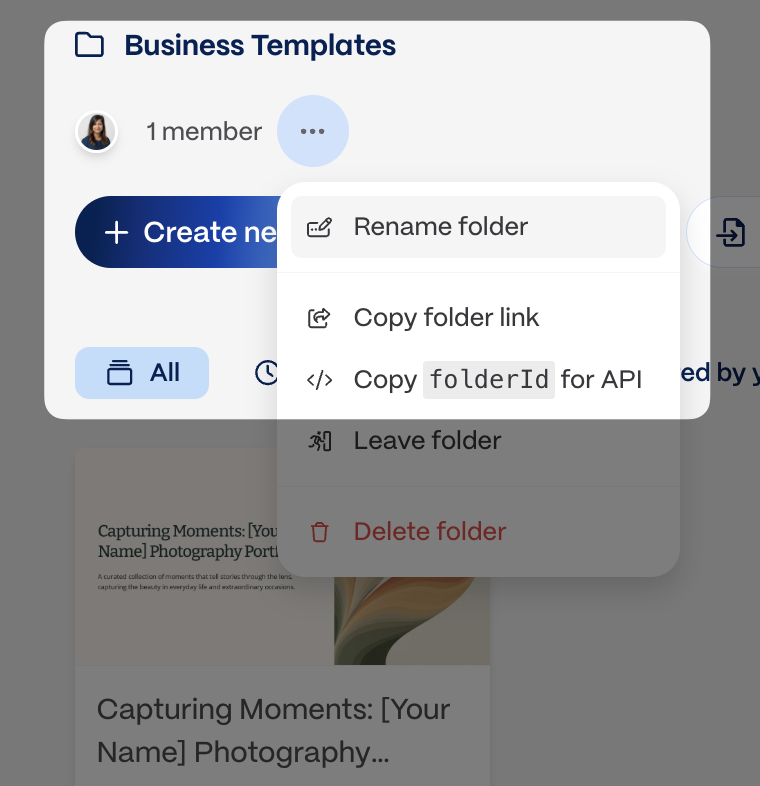
* Use [`GET /v1.0/folders`](/workspace/list-folders.md) to list folders, or copy the folder ID directly from the app.
* You must be a member of a folder to add gammas to it.